How to sell feet pics without getting scammed: the short answer
The safest habit is simple. Treat every payment claim as unproven until the service shows it in your own account, and never let a message rush you past that check. Scammers rarely need technical skill. They need you to deliver, pay or share a secret before you have looked at the real record.
Sellers who want to sell feet pics safely often ask for one rule that covers everything. This guide offers a short routine instead, because the same few moves handle fake payments, fee demands, code requests and pressure to leave the service.
No routine removes every risk, and no service can promise a scam-free experience. What a routine does is slow down the exact moment when mistakes happen.
Set the order check before you agree
Decide how you will confirm an order before a buyer ever asks. Write the steps down once, so you are not inventing them under pressure.
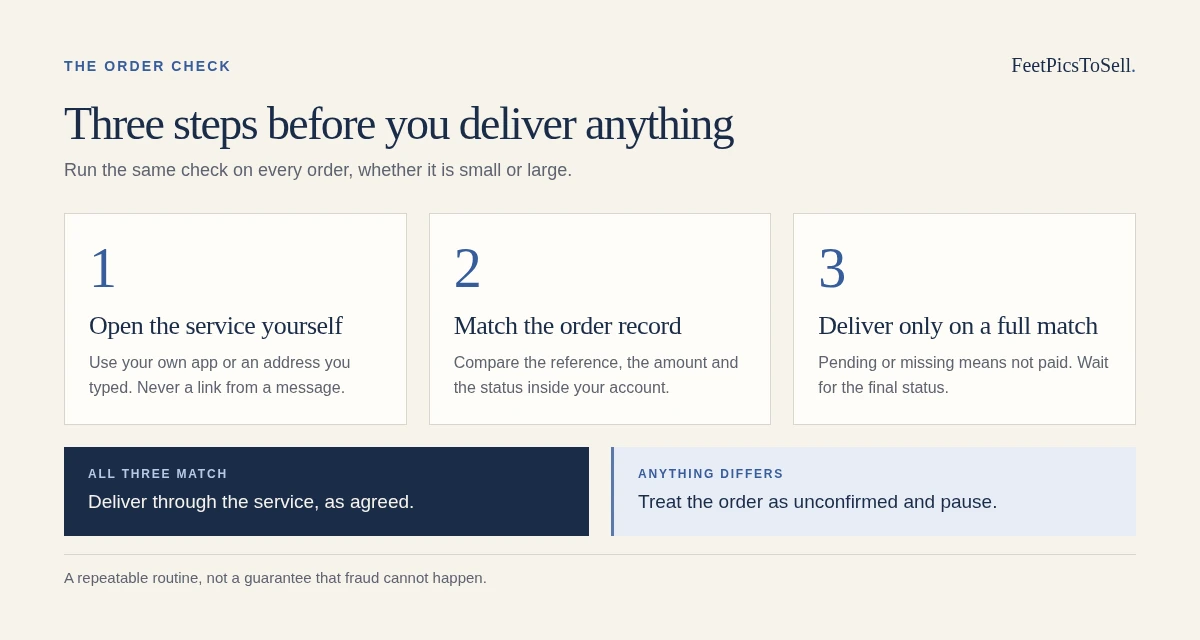
A good order check has three parts. Open the service yourself, using the app or an address you typed, never a link from a message. Find the order and compare the reference, the amount and the status. Deliver only when all three match.
If anything differs, treat the order as unconfirmed. That answer is complete, because you do not need to prove a message is fake before you decide not to act on it.
Use the same check for small and large requests. A routine that bends for a small order is easy to bend again for a big one.
Recognise common pressure patterns
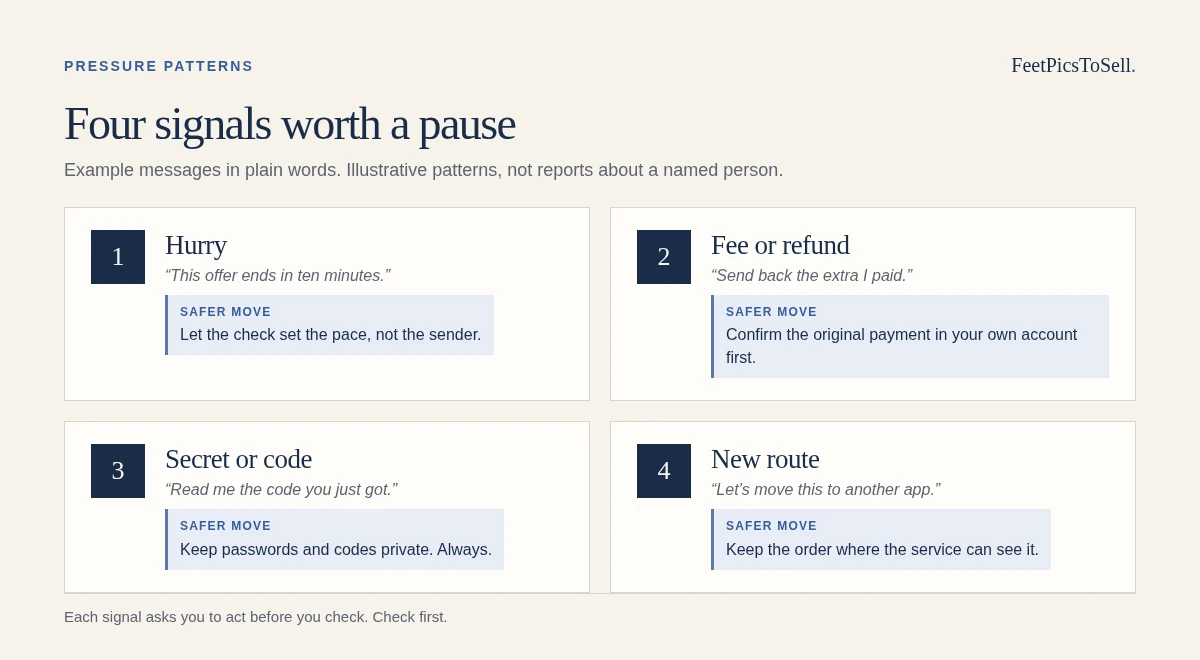
Most scam messages lean on the same few levers. They hurry you, ask for money or a secret, or move the conversation somewhere the service cannot see. The table lists example messages in plain words. They are illustrative patterns and not reports about any named person.
| The message | Why it deserves a pause | A safer move |
|---|---|---|
| “Pay a small fee so my payment can be released.” | You are asked to send money in order to receive money. | Decline, then check the order in your own account. |
| “I paid too much, so please send back the difference.” | The extra amount is only claimed, so a refund would come from your own funds. | Confirm the original payment first and use the service’s official process for any real overpayment. |
| “Read me the code you just received.” | A login or verification code is a key to your account. | Keep it private and use only the service’s own verification steps. |
| “Let’s move this to another app.” | The record and the service’s protections stay behind. | Keep the order and the payment where the service can see them. |
| “I will pay by gift card or cheque.” | Hard-to-trace or reversible payments leave you holding the loss. | Accept only the payment route the service itself provides. |
| “Send a few free ones and I will buy a big set.” | Your content leaves before any payment exists. | Point to your public previews and keep paid files for confirmed orders. |
| “Support needs your ID in this chat.” | The request sits outside the service’s official process. | Open the service yourself and follow its own verification route. |
Each message asks you to act before you check, and each one offers a reason that sounds plausible. When you notice that shape, stop replying for a moment and run your order check.
The FTC describes fake check scams. A stranger overpays and asks for the extra to be sent back, and the person who sent that money is left to cover the loss.
Verify the payment in your own account
An image can be edited, cropped or taken from another person’s account. It can even show a real payment that was later reversed, so a screenshot proves very little by itself.
The only record you can rely on is the one inside the service you sell through. If the order is missing, treat the money as not received. If it appears, check that the status says completed rather than pending before you send anything.
Our guide to fake payment screenshots explains how to compare the details in a message with the real transaction.
Pending does not mean paid. A payment that is still processing can fail, so wait for the final status even when the sender is impatient.
Keep access secrets out of the conversation
Passwords, recovery codes and one-time login codes exist to prove that you are you. A buyer has no reason to need any of them, and nobody who is genuinely helping you should ask you to read one out in a chat.
Fake pages are another way to collect those secrets. A message can point to a login screen that looks right but sits on a different address, so open the service yourself instead of following the link. Urgent language and requests for account details are two common signs of phishing.
If you already typed a password or code into an unfamiliar page, follow the steps in our phishing response guide before you continue with any order.
Switch on any extra sign-in protection the service offers, and use a password you do not use anywhere else. These steps cannot stop every attack, but they limit what a stolen password can open.
Pause when a request changes the route
Trouble often starts when an order changes shape. The price moves, the delivery method shifts, or the buyer suddenly wants another app or payment method. Any change to scope, price or channel is a reason to stop and run the order check again.
Some services write this into their rules. FeetFinder’s published FAQ, checked on 25 November 2026, says sales conversations and payments must stay on the platform and does not allow asking users for PayPal or Cash App details. Read the rules of the service you use, because they decide what support you can ask for.
“Thanks for the update. I can only deliver once the order shows as paid in my account, so I will check again after that.”
Suggested wording when a payment claim does not match your account.Saying no to a change needs no explanation and no accusation. A short, polite reply is enough, and silence is also acceptable.
Be careful when pressure arrives with a deadline. A message that says an offer ends in minutes is trying to replace your check with its own clock. A real order can survive a short wait.
Save the right records and protect the rest
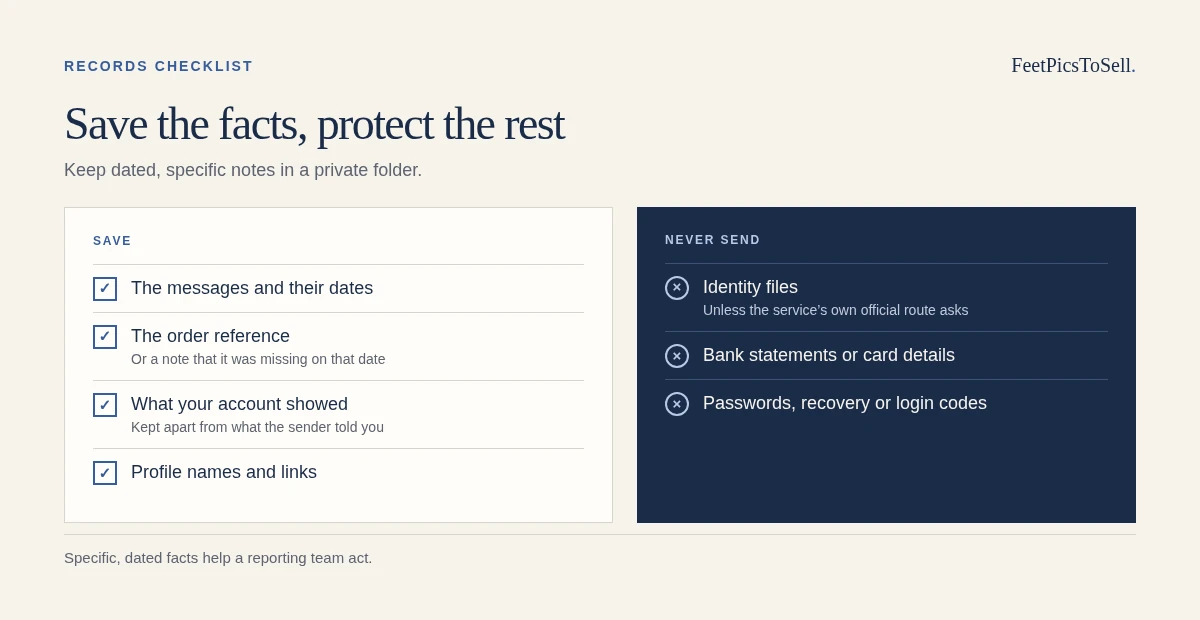
Record what happened while it is fresh. Save the messages, the dates and any order reference in a private folder, and keep what you saw in your account separate from what the sender told you.
A note that says the order reference was missing from your account on a given date is more useful than a general accusation. Reporting teams can act on facts that are dated and specific.
Do not send identity files, bank statements or card details to this handbook or to anyone who contacted you first. Share them only through the official route of the service that is verifying you.
Know your next move if a message gets through
Knowing how to sell feet pics without getting scammed also means knowing what to do when one message slips past you. Work out what actually happened before you act, because each situation has a different first move.
If you sent no money and shared nothing, stop replying, keep the record and report the account through the service. If you shared a code or password, secure the account first. If money has left your account, call your bank or payment provider promptly.
If someone threatens you, stop replying, keep the evidence and use the service’s reporting tools. Contact local authorities where that is appropriate.
The scam guides hub groups the related checks, so you can move from this overview to the situation in front of you.
Feet pic scam questions
These answers cover the questions sellers ask most often once an order starts to feel wrong.
Is a screenshot enough to prove I have been paid?
No. A screenshot shows only what someone chose to show you, and images are easy to edit or reuse. Only the order record inside your own account, with a completed status, counts as proof. If the record is missing or still pending, put the order on hold and contact the service’s official support.
Should I pay a fee to receive money?
No. A genuine order does not depend on you sending money first, so a request for a release fee, a verification charge or a deposit is a warning sign. Stop replying, check the order in your own account, and report the message through the service if the sender keeps pushing.
What should I do if a buyer asks for a verification code?
Do not share it. A one-time code opens your account, and no buyer needs it to place or discuss an order. If you already shared one, change your password at once on the service’s own site, review recent activity and follow its recovery steps before you deliver anything else.
Does a verified badge make a message safe?
No. A badge tells you something about an account at one moment, not about every message it sends later. Accounts can be taken over or misused, so judge the request itself. Run the order check, keep the conversation where the service can see it, and decline anything that fails.
Is there a risk-free place to sell feet pics?
No. No service can promise freedom from fraud, and this guide does not certify any marketplace. The checks here work on whichever service you already use. Read its published rules, payment flow and reporting tools yourself, and keep applying the order check even on a service you trust.
Sources and scope
Official information checked November 25, 2026. Practical checklists and example responses are editorial guidance, not certifications.